
Last updated on
Nov 6, 2026

Nurse Practitioner Employment Contract Template for Primary Care Setting 2013-2026 free printabl...
pdfFiller is not affiliated with any government organization

Fill out
Complete the form online in a simple drag-and-drop editor.

eSign
Add your legally binding signature or send the form for signing.

Share
Share the form via a link, letting anyone fill it out from any device.

Export
Download, print, email, or move the form to your cloud storage.
Why pdfFiller is the best tool for your documents and forms


End-to-end document management
From editing and signing to collaboration and tracking, pdfFiller has everything you need to get your documents done quickly and efficiently.
Accessible from anywhere
pdfFiller is fully cloud-based. This means you can edit, sign, and share documents from anywhere using your computer, smartphone, or tablet.
Secure and compliant
pdfFiller lets you securely manage documents following global laws like ESIGN, CCPA, and GDPR. It's also HIPAA and SOC 2 compliant.
What is Nurse Practitioner Employment Contract Template for Primary Care Setting
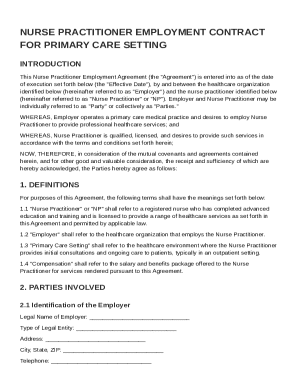
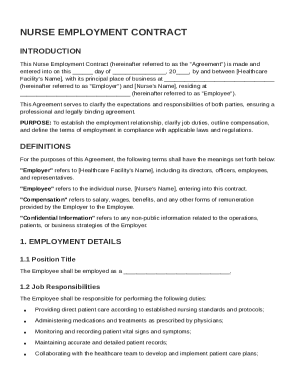
The Nurse Practitioner Employment Contract Template is a legal document used by employers to establish terms of employment for nurse practitioners in primary care settings.
pdfFiller scores top ratings on review platforms




Easy to use,saves time and eliminates written errors
The program was very easy to use, and there were many options to help fill out the forms
Who needs Nurse Practitioner Employment Contract Template for Primary Care Setting?
Explore how professionals across industries use pdfFiller.

Nurse Practitioner Employment Contract Template for Primary Care Setting is needed by:
-
Healthcare employers hiring nurse practitioners
-
Nurse practitioners seeking employment agreements
-
Legal professionals drafting healthcare contracts
-
HR departments in medical facilities
-
Practitioners involved in healthcare practices
Comprehensive Guide to Nurse Practitioner Employment Contract Template for Primary Care Setting
What is the Nurse Practitioner Employment Contract Template?
The Nurse Practitioner Employment Contract Template is a crucial legal document designed to formalize the terms of employment for nurse practitioners within primary care settings. This template serves to clearly define the various aspects of employment, including duties, compensation, and benefits, thereby establishing a transparent working relationship between the employer and the nurse practitioner. Typically, the structure of the contract includes sections detailing responsibilities, rights, and obligations of both parties.
Purpose and Benefits of the Nurse Practitioner Employment Contract Template
A well-defined employment agreement is vital for both nurse practitioners and employers. The Nurse Practitioner Employment Contract Template offers several advantages, such as ensuring legal protection, providing clarity on roles, and establishing defined responsibilities. By clarifying expectations, this template helps to prevent potential misunderstandings and disputes, making it easier for both parties to navigate their professional relationship effectively.
Key Features of the Nurse Practitioner Employment Contract Template
-
Fillable fields for essential information, ensuring ease of use.
-
Signature lines for both the employer and the nurse practitioner to authorize the contract.
-
Inclusion of legal terms that outline the rights and obligations of all parties.
-
Standard clauses addressing termination processes, confidentiality agreements, and required professional standards.
Who Needs the Nurse Practitioner Employment Contract Template?
The primary users of the Nurse Practitioner Employment Contract Template include employers in the healthcare sector and nurse practitioners themselves. This template is particularly essential in scenarios involving new hires or when renewing existing contracts. Establishing a formal agreement benefits both parties by creating clear expectations and minimizing potential legal issues.
How to Fill Out the Nurse Practitioner Employment Contract Template Online (Step-by-Step)
-
Access the template on pdfFiller.
-
Gather necessary information including names, dates, duties, and compensation details.
-
Fill in all required fields carefully, ensuring accuracy.
-
Add signatures in the designated areas for both parties.
-
Review the completed document for any errors or omissions before finalizing.
Common Errors to Avoid When Filling Out the Nurse Practitioner Employment Contract Template
While completing the Nurse Practitioner Employment Contract Template, users often make common mistakes that can have significant implications. Typical errors include missing required fields, incorrect dates, and unclear descriptions of roles and responsibilities. To mitigate these issues, users should employ a thorough checklist to validate their entries before submission.
How to Sign and Finalize the Nurse Practitioner Employment Contract Template
The signing process for the Nurse Practitioner Employment Contract Template can vary between digital and wet signatures. Using pdfFiller, users can easily sign the document electronically, streamlining the process. Best practices suggest ensuring both parties complete the signing process and exchanging copies of the finalized contract securely.
How to Download, Print, and Save the Nurse Practitioner Employment Contract Template PDF
Once the contract is completed on pdfFiller, users can follow straightforward instructions to download the finalized document. Options for printing include various formats that suit user preferences. Additionally, it's important to securely save and organize the contract for future reference, maintaining an orderly record of employment agreements.
Security and Compliance for Handling the Nurse Practitioner Employment Contract Template
When dealing with sensitive employment documents, security is of paramount importance. pdfFiller employs robust security measures including 256-bit encryption and compliance with regulations such as HIPAA and GDPR. Users can rest assured that their information will be handled with the utmost care, protecting their data from unauthorized access.
Get Started with Your Nurse Practitioner Employment Contract Template Today!
Utilizing pdfFiller for completing the Nurse Practitioner Employment Contract Template simplifies the document management process. By leveraging the ease of use, security features, and efficiency offered by pdfFiller, users can navigate the contract completion and ensure a smooth onboarding experience.
How to fill out the Nurse Practitioner Employment Contract Template for Primary Care Setting
-
1.To begin, navigate to pdfFiller and log in or create an account if you do not have one.
-
2.Search for 'Nurse Practitioner Employment Contract Template' in the document library.
-
3.Open the form to access the fillable fields, including sections for dates, names, and monetary values.
-
4.Before filling out the form, gather necessary information such as the names of the involved parties, job specifics, and compensation details.
-
5.Start with the fields labeled 'Employer' and 'Nurse Practitioner' to enter the respective names.
-
6.Continue filling in the compensation, benefits, and work conditions as outlined in the provided sections.
-
7.Utilize the signature lines at the end of the document to sign and date the form, if applicable.
-
8.Once you've filled out all required fields, review the form for completeness and accuracy.
-
9.After reviewing, you can save the form directly in your pdfFiller account or download it for submission.
-
10.To finalize the process, you may also print and submit the form as needed through your designated channels.

Who needs to sign the Nurse Practitioner Employment Contract?
Both the Employer and the Nurse Practitioner must sign the contract to validate the agreement. This mutual signature acknowledges the acceptance of the employment terms outlined within the document.
Is notarization required for this contract?
No, notarization is not required for the Nurse Practitioner Employment Contract Template. Both parties can sign it without the need for a notary public.
How can I submit the completed contract?
Once completed, you can submit the Nurse Practitioner Employment Contract either by emailing it to the appropriate parties or by delivering a printed copy, depending on your specific requirements.
What information is needed to fill out the contract?
You will need the names of both the Employer and Nurse Practitioner, details about compensation and benefits, job duties, and any relevant dates. Gather this information before you begin filling out the form.
Are there common mistakes to avoid while completing this contract?
Common mistakes include leaving fields blank, entering incorrect figures for compensation, and failing to secure the necessary signatures. Always double-check for completeness and accuracy.
What are the processing times for the contract once submitted?
Processing times vary depending on the employer's internal policies. Typically, expect feedback or acceptance within a week after the submission of the completed form.
Can I edit the contract after it’s been signed?
Once both parties have signed the Nurse Practitioner Employment Contract, it is generally considered a legally binding document. Editing it post-signature usually requires mutual consent and a new agreement to be drafted.
Related Forms


Get the latest insights from our blog


If you believe that this page should be taken down, please follow our DMCA take down process
here
.
This form may include fields for payment information. Data entered in these fields is not covered by PCI DSS compliance.